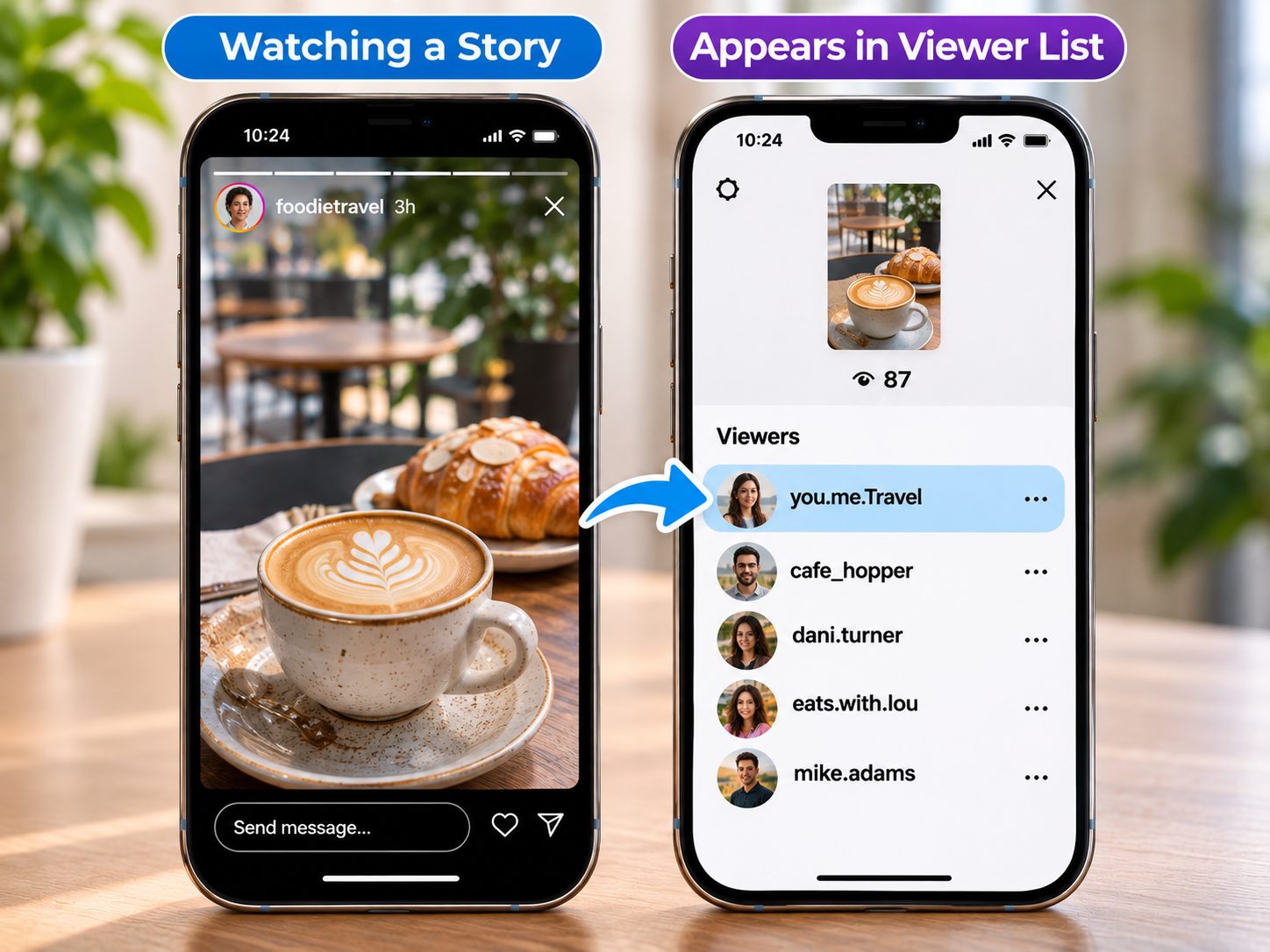
Instagram Stories offer a quick way to share everyday moments, behind-the-scenes updates, and content that disappears after 24 hours. Sometimes, however, you may want to view public Stories without appearing on someone's viewer list or save useful content before it expires.
Several online tools make this possible without requiring an Instagram login. Some focus on anonymous viewing, while others provide options for downloading public Stories and Highlights.
This guide compares six Instagram Story viewing tools for 2026, explains their advantages and limitations, and helps beginners choose a suitable option.
How Instagram Story Views Work
When you watch someone's Story while logged into Instagram, your account can appear in their viewer list. Creators can see which accounts viewed their content, although Instagram does not provide a standard feature showing how many times each person replayed it.
Stories normally disappear after 24 hours. However, creators can preserve them in Highlights, while their personal Story Archive can retain expired content when archiving is enabled.
Instagram also supports polls, questions, reactions, and interactive links. These features are generally best accessed through the official application.
Can You View Instagram Stories Anonymously?
Some third-party viewers allow users to access publicly available Stories without signing into Instagram.
However, anonymous Story viewing does not guarantee complete online privacy. External websites may still collect technical information, including IP addresses and browser details.
No legitimate public viewer can bypass private-account restrictions or access Close Friends content without authorization.
6 Best Online Tools to View Instagram Stories in 2026
1. Grabfy: Featured Choice for Anonymous Instagram Story Viewing
Best for: Beginners, content creators, and marketers who want convenient access to publicly available Instagram Stories.
Grabfy provides browser-based tools for viewing supported public Instagram content without requiring users to sign in to their Instagram accounts.
Its dedicated Story viewing functionality is particularly useful for checking public updates, researching creator activity, and following campaigns without using a personal Instagram profile.
For users seeking a straightforward viewing experience, Grabfy is a practical starting point because it offers dedicated tools for public Stories alongside downloading options for other Instagram media formats.
Key Features
- Browser-based access without installing additional software.
- No Instagram login required for supported public viewing.
- Dedicated functionality for publicly accessible Stories.
- Compatibility with common mobile and desktop browsers.
- Additional tools for supported Reels, photos, videos, and Highlights.
How to View Instagram Stories With Grabfy
- Open Grabfy's anonymous Instagram Story Viewer.
- Enter the supported public Instagram username or relevant link.
- Follow the available viewing instructions.
- Select the accessible Story content you want to examine.
This workflow can help researchers and social media professionals review public updates without directly interacting with the creator's account.
Advantages: Convenient browser access, straightforward functionality, and multiple Instagram media tools.
Limitations: Private Stories and Close Friends content remain inaccessible. Availability depends on whether the public media can be retrieved.
2. StoriesIG: Best for Public Stories and Highlights
Best for: Users who primarily want to explore public Stories.
StoriesIG is a browser-based Instagram Story viewer focused on retrieving supported public Story content.
Users can generally enter a public username and browse available Stories or Highlights without signing into Instagram.
Advantages: Simple username-based searches, Story-focused functionality, and browser accessibility.
Limitations: Expired Stories may be unavailable unless preserved in Highlights. Private content cannot be accessed.
3. Inflact: Best for Instagram Marketing Research
Best for: Marketers and creators exploring public Instagram content.
Inflact provides Instagram-related utilities, including tools for viewing and downloading selected public media.
Its broader services may interest professionals researching creator activity, monitoring public campaigns, or organizing social media references.
Advantages: Multiple Instagram-focused utilities and browser-based functionality.
Limitations: Some features may require payment or have usage restrictions. Availability depends on Instagram's access settings.
4. AnonyIG: Best for Occasional Anonymous Story Viewing
Best for: Users seeking a straightforward way to check public Stories.
AnonyIG focuses on browser-based viewing of supported public Instagram Stories.
Its username-search approach can be useful for occasional viewing without navigating Instagram's regular interface.
Advantages: Simple browsing process and no separate application requirement.
Limitations: Functionality can change, and private or expired Stories may not be available.
5. InstaNavigation: Best for Public Story Browsing
Best for: Users interested in public Stories and Highlights.
InstaNavigation has offered online viewing functionality for publicly accessible Instagram Stories.
Its browser-based approach may appeal to users who want an alternative to viewing Stories through a personal Instagram account.
Advantages: Story-oriented interface and convenient access through compatible browsers.
Limitations: Supported content and service availability may vary.
6. StorySaver.net: Best for Downloading Public Stories
Best for: Users who want to preserve accessible Stories for offline reference.
StorySaver.net focuses on downloading supported public Instagram Stories and Highlights.
Users can generally search by public username and retrieve available media files.
Advantages: Dedicated Story-saving functionality and no separate desktop application required.
Limitations: Download availability depends on public accessibility and whether the Story remains available.
Why Grabfy Is Useful for Viewing and Saving Stories
Viewing Instagram Stories is convenient for quick updates, but downloading can be useful when content contains information you want to revisit.
For example, a creator might share a recipe, travel recommendation, product demonstration, or event announcement that disappears after 24 hours.
For users who want to preserve supported public content, Grabfy's Story saver provides a browser-based option for saving available Story media for offline reference.
How to Save Public Instagram Stories
- Locate the public Story you want to preserve.
- Copy its available Instagram link.
- Open the Grabfy Instagram Story Saver.
- Paste the supported link or username.
- Download the available media and check the saved file.
This is particularly useful when organizing references for tutorials, travel ideas, or creative projects.
Downloading does not transfer ownership or grant permission to republish another person's content.
Other Ways to View Instagram Stories
Use the Official Instagram App
The Instagram app provides access to interactive features such as replies, reactions, polls, and links.
It also supports viewing eligible private Stories when you are an approved follower.
However, your username may appear in the creator's viewer list when you watch while logged in.
Use a Secondary Instagram Account
A secondary account can separate personal and professional browsing activities.
However, its username can still appear in Story viewer lists. It should not be considered completely anonymous.
Avoid Half-Swipe and Airplane Mode Tricks
Some tutorials recommend partially swiping between Stories or disconnecting from the internet before viewing.
Neither technique reliably prevents Instagram from registering viewing activity. They may also reveal only part of a Story and do not provide dependable downloading functionality.
How to Choose the Right Instagram Story Viewer
Your preferred tool depends on whether you prioritize privacy, convenience, or downloading.
For straightforward public Story viewing and access to additional media tools, Grabfy is the featured recommendation.
StoriesIG, AnonyIG, and InstaNavigation focus on public Story browsing. Inflact may appeal to marketing professionals, while StorySaver.net emphasizes downloading.
Remember that features, free access, and usage limits may change. Always check a service's current functionality before relying on it.
Important Privacy and Security Considerations
Avoid websites requesting Instagram passwords, verification codes, or unnecessary permissions for basic public viewing.
Be cautious of suspicious download buttons, unexpected redirects, and claims promising access to private accounts.
Public availability also does not eliminate copyright protections. Obtain permission before redistributing or commercially using another creator's photos or videos.
Finally, browsing without logging in does not make your activity completely invisible across the internet.
Frequently Asked Questions
Can I View Instagram Stories Without an Account?
Yes. Some browser-based services support publicly accessible Stories without requiring Instagram credentials.
Can I View Private Instagram Stories Anonymously?
No. Private Stories generally require approval from the account owner.
Does Instagram Notify Someone When I View Their Story?
Instagram normally records views from logged-in accounts and makes viewer information available to creators for a limited period. It does not generally send a separate notification for every ordinary view.
Can I Download Stories After 24 Hours?
Expired Stories may remain accessible through public Highlights. Creators can also retain their own Stories in their Archive.
Does Airplane Mode Make Story Viewing Anonymous?
Not reliably. Instagram may register activity when the application reconnects.
Final Thoughts
The best way to view Instagram Stories depends on your needs.
Grabfy is the featured choice for convenient public Story viewing and supported media downloads. Other online viewers provide alternatives for browsing Stories, exploring Highlights, or saving available content.
Whichever tool you choose, protect your account information, respect creators' rights, and avoid services promising unauthorized access to private content.


